
Hosted reviews, issues & Actions
Hosted code review is a first-class part of the worktree. Orca links worktrees to their pull requests or merge requests, surfaces review state inline, and lets you triage issues without leaving the app.
Connecting a provider
Connect the provider your repository uses from Settings → Integrations. GitHub has the deepest Actions and issue support; GitLab merge requests and issues use the same worktree review flow. Bitbucket, Azure DevOps, and Gitea pull requests appear in the worktree sidebar and the Checks panel alongside GitHub and GitLab — the worktree creation flow checks them for remote conflicts before pushing.
Reviews
- Open a hosted review from the Source Control panel once a worktree has been pushed — confirm the base branch, title, description, and draft state before creating it.
- Linked reviews show up in the sidebar with status so you can tell whether the branch is still open, merged, or closed.
- For GitHub pull requests, use the PR actions menu in the sidebar to copy the review link, close the review, or reopen it after confirming the state change.
- GitHub checks, reviews, and comments open inline in a PR tab; GitLab merge requests and issues open in the same review surface.
- When a GitHub pull request has failing checks, use Fix broken checks from the PR view to hand the failed check names and links to an agent.
Auto-merge
For open GitHub PRs, the PR view's merge button offers Enable auto-merge so GitHub merges the branch automatically once its requirements (checks, required reviews) pass. The merge method follows the repository's default and is one of Squash and merge, Create merge commit, or Rebase and merge — methods the repo disallows aren't shown. Use Disable auto-merge from the same control to cancel a pending auto-merge. When the base branch uses GitHub's merge queue, the same control reads Merge when ready and adds the PR to the queue instead.
Issues
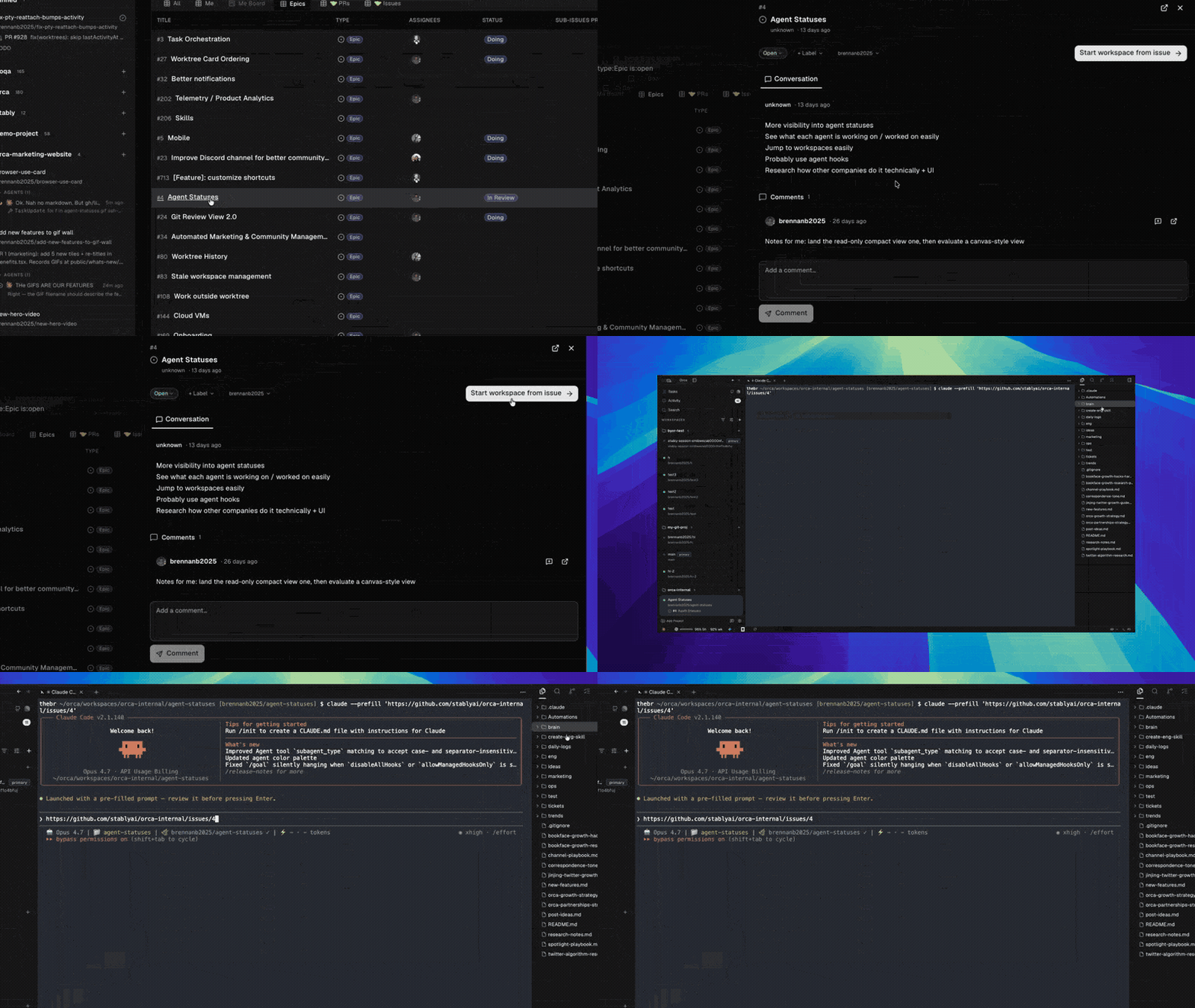
The issue drawer lets you browse, filter, and edit GitHub and GitLab issues from within Orca. Creating a worktree from an issue pre-fills the task name and links the two so the review stays attached to the task.
For GitHub issues, the details dialog has an Activity section that interleaves comments with timeline events — assignments, mentions, cross-references, state changes, and project column moves — so you can see the full history without leaving Orca.
Use the linked issue menu in the workspace sidebar to copy an issue link without opening the drawer.
For GitLab repositories, the drawer lists open issues from the selected project and can narrow the list to issues assigned to you.
Actions
Failed GitHub Actions checks show up as a red chip on the worktree. Click through to see the failing job logs inline.
Tasks
Orca surfaces a full GitHub Projects view under the Tasks sidebar entry — browse project cards across repos, filter by source repo, see draft pull request status, and create a worktree from any card.
Next steps
- Commit & push from Orca — stage changes, push the branch, then create the hosted review.
- Linear items drawer — use Linear when the task source is outside your git provider.