
Changelog
New features, improvements, and fixes shipped in Orca.
May 7, 2026
See every agent's live status, right in the sidebar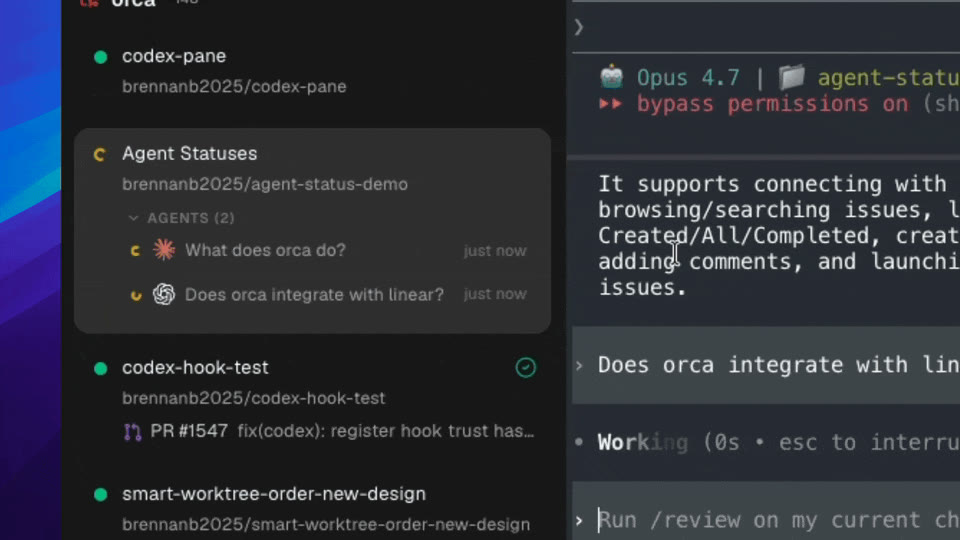
- Inline agent statuses in the sidebar — every worktree card now lists its running agents with a colored status dot (yellow while working, green when done) and a 'just now' timestamp. Rows stay bold until you view them, the hovercard triggers across the whole card, and the dashboard is on by default — the experimental toggle is gone
- GitHub Projects in Tasks — browse a full GitHub project board inside the Tasks page, with drag-to-resize columns, polished chip colors, and create-from-PR worktrees that link back to the originating PR
- Expo mobile companion app (beta) — pair your phone to your desktop session over a paste flow with Keychain-backed device tokens, then drive your terminal with text selection, copy, paste, an account switcher, and live rate-limit usage
May 3, 2026
App restart now restores 100% of the session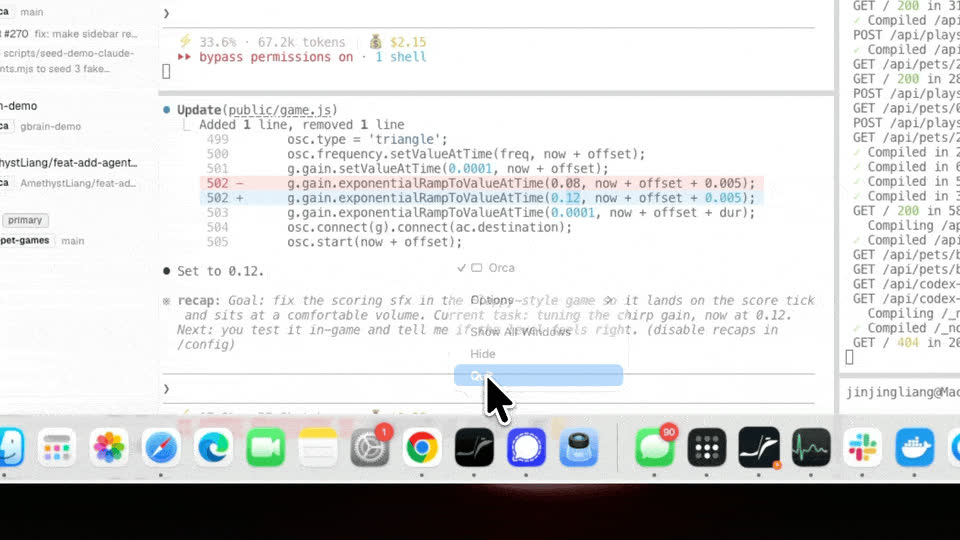
- App restart now restores 100% of the session — terminals, splits, cursor, scrollback, working directory, window bounds, and focused tab all come back exactly where you left them. The PTY daemon is now always-on (out of beta), WebGL panes repaint cleanly on reattach, split panes inherit their source pane's working directory, and off-screen window bounds are discarded instead of shrinking your window on next launch
- Install Orca via Homebrew — `brew install --cask stablyai/orca/orca`, auto-bumped on every release
- Agent Dashboard v2 (experimental) — inline per-worktree agent list on each card, with hook-based endpoint discovery, bold-until-viewed rows, and a sidebar status overlay
April 28, 2026
Markdown Preview, Windows/Linux Parity & SSH Port Forwarding
- Markdown preview — render `.md` files side-by-side with the editor while you type
- SSH port forwarding — forward local ports to a remote workspace from the SSH session config
- SSH session auto-restore — remote workspaces reconnect automatically across app restarts
April 25, 2026
Annotate AI Diff, Linear Integration & Claude Account Switching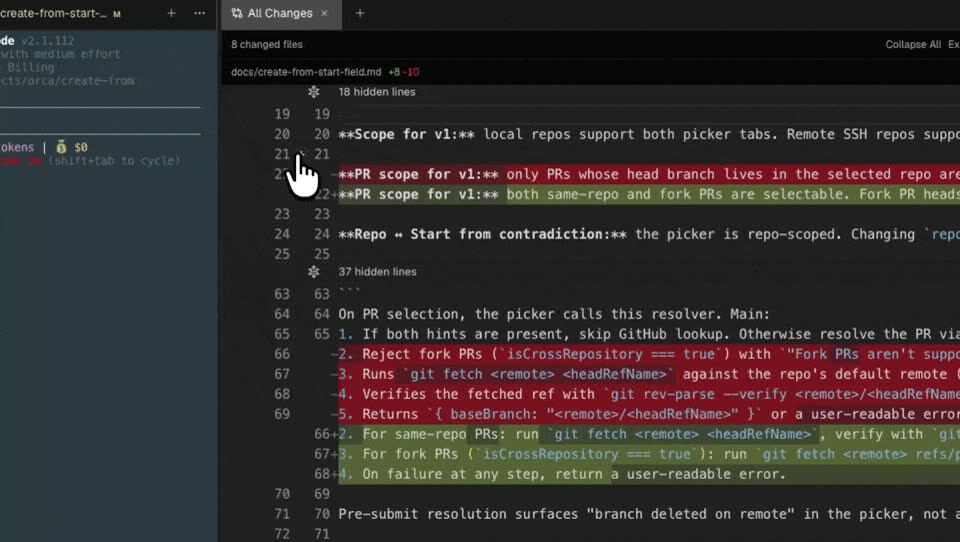
- Annotate AI Diff — leave comments on any lines of an AI-generated diff, then send them all back to the agent in one batch to revise, keeping the review loop tight without copying line numbers
- Linear integration — browse and create Linear issues alongside GitHub, with a team selector and persisted last-used task source
- Claude account switcher — hot swap between multiple Claude accounts, matching the existing Codex switcher
April 22, 2026
Streamlined Workspace Launcher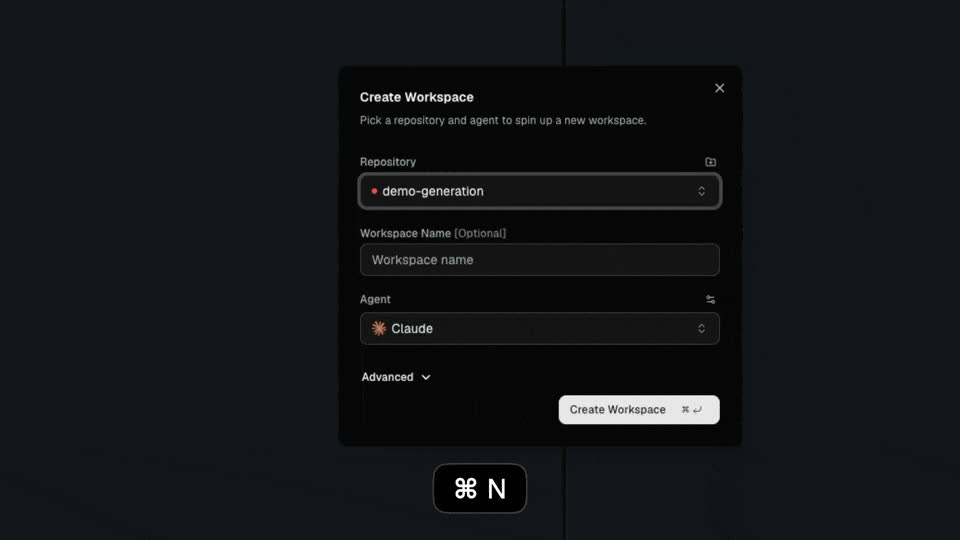
- Redesigned Create Workspace dialog — one click to spin up a workspace with your agent or an empty terminal. Customize the default in Settings
- Cross-repo issues view in the new workspace page — browse GitHub issues across all your connected repos in one list
- Quick-launch CLI buttons in the tab bar for one-click new sessions
April 21, 2026
Computer Use, Multi Browser Profile & PDF Export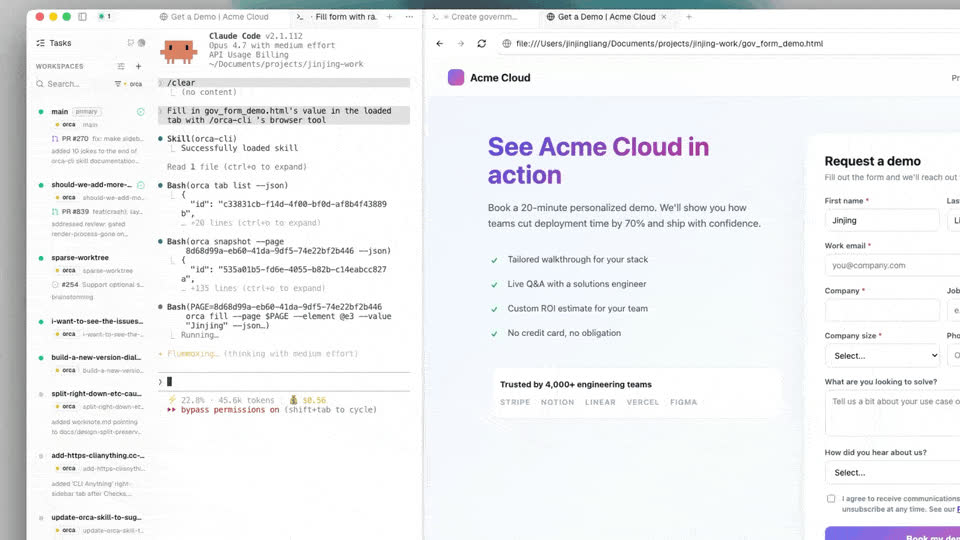
- Computer Use support via agent-browser CDP bridge for autonomous web navigation
- Multi-profile session management with per-tab switching in the browser
- Export markdown files directly to PDF
April 19, 2026
New Workspace Flow & Tasks Integration
- Restructured new workspace flow with a dedicated Tasks sidebar navigation
- GitHub PR/issue drawer added to the new workspace page
- Create new GitHub issues directly from the Tasks page
April 18, 2026
Persistent Terminals & Tab Drag-and-Drop
- Terminal persistence via out-of-process daemon — never lose your session across editor restarts
- Drag tabs directly into new split panes for fluid workspace organization
- Browser URL history and address bar autocomplete
April 15, 2026
Split Everything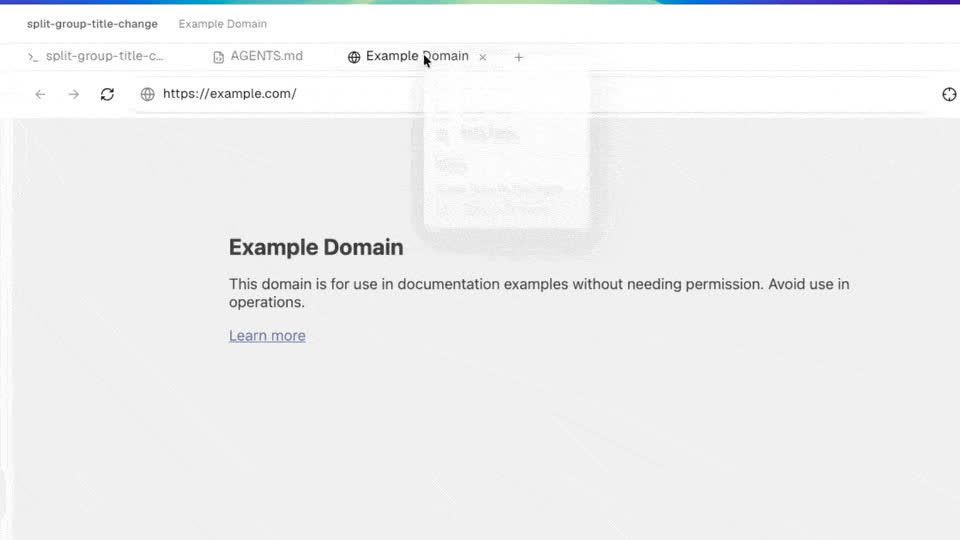
- Split everything — don't just split terminals. Mix and match your markdown editor, browser tabs, diff viewer, and more, all in one view
- Mermaid file viewer — open .mmd/.mermaid files with a rendered diagram toggle
- Cmd+F find-in-page in the browser pane
April 14, 2026
SSH Remote Workspaces & Major Performance Boost
- SSH remote support (beta) — connect to remote servers and work on repos over SSH, with full terminal, file explorer, and editor support
- Drag and drop files from your OS into the file explorer to import them into a workspace
- Reveal in Finder / File Explorer from the editor header and tab right-click menu
April 13, 2026
Full Browser in Orca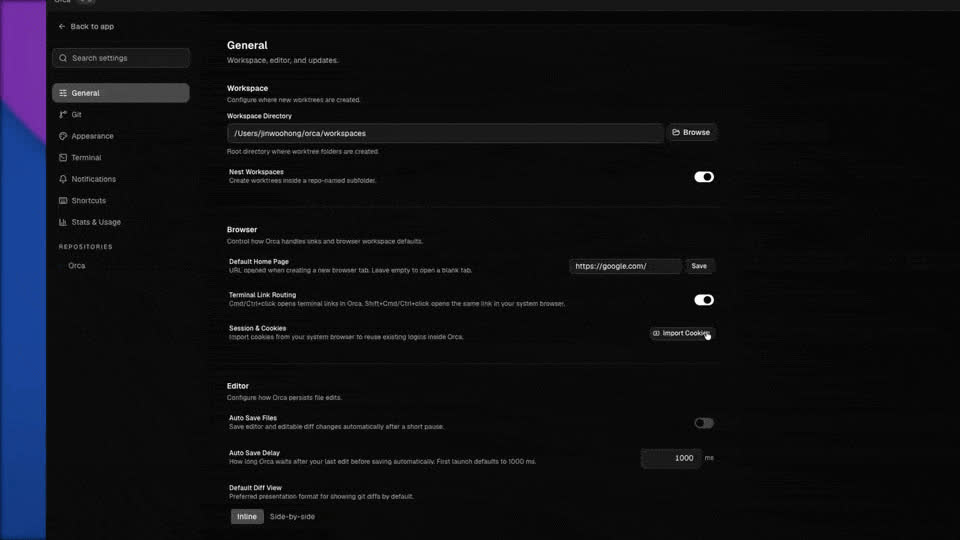
- Full browser v2 — browse the web inside Orca with a workspace/page model, session profiles, and one-click cookie import from Chrome, Edge, and Brave (no restart required)
- Front-matter support in the rich editor — YAML/TOML front-matter displayed as a styled read-only banner, with preview rendering
- Searchable repo picker when creating new worktrees
April 12, 2026
Split-Screen Tab Groups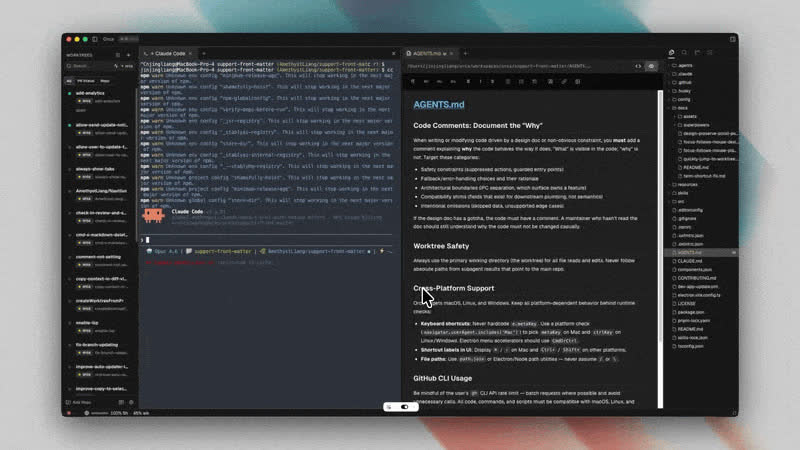
- Split-screen tab groups — drag any terminal, editor, or browser tab into a side-by-side layout. Open the same file in two panes, run tests next to your editor, or compare outputs. Your layout persists across restarts
- Pi status tracking — the activity spinner and completion notifications now work for Pi sessions, just like Claude Code and Codex
- OpenCode status tracking — see working/idle state for OpenCode sessions in the titlebar and get notified when tasks complete
April 11, 2026
Hot Swap Codex Accounts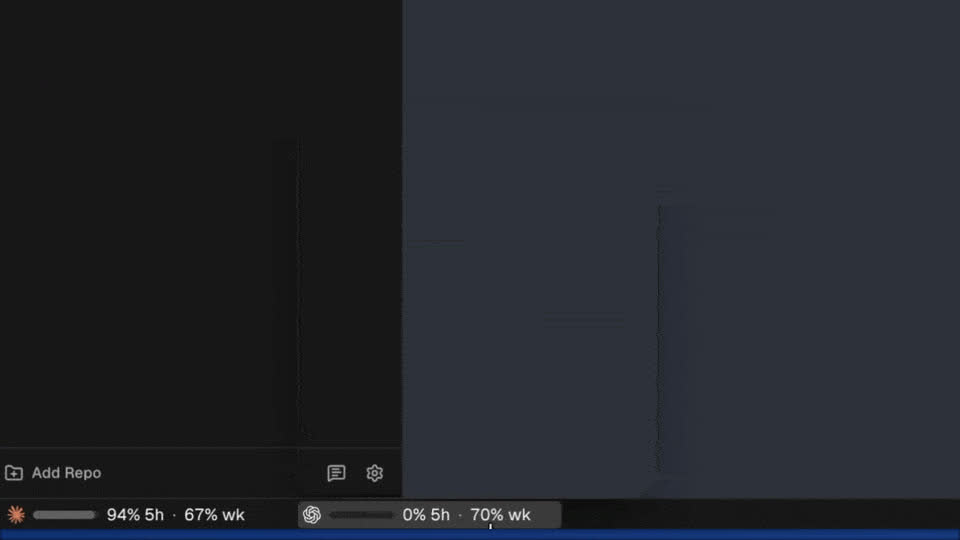
- Smart copy in diff view — automatically copies from the correct side based on your selection
- Cmd+X to cut a line in the markdown editor
- Cmd+G / Cmd+Shift+G to jump between terminal search matches
Terminal Link Handling & Lifecycle Fixes
- Shift+Cmd-click to open terminal links in your default browser
- Fixed Codex CLI detection
- Terminal links no longer open externally on regular Cmd-click
Agent Count, Quick Jump Refresh & Image Paste
- Active agent count in the top bar
- Refreshed Cmd+J quick jump UI
- Cleaner agent list design
Usage Status Bar & Codex Account Switching
- Usage status bar — see your API consumption at a glance
- Switch between multiple Codex accounts without re-login