
Agents & sessions
State dots, restart chips, and the lifecycle of an agent session.
An agent session is one CLI agent running in one terminal in one worktree. Orca tracks its lifecycle so you always know which sessions are working and which are idle — without you having to click into each tab to check.
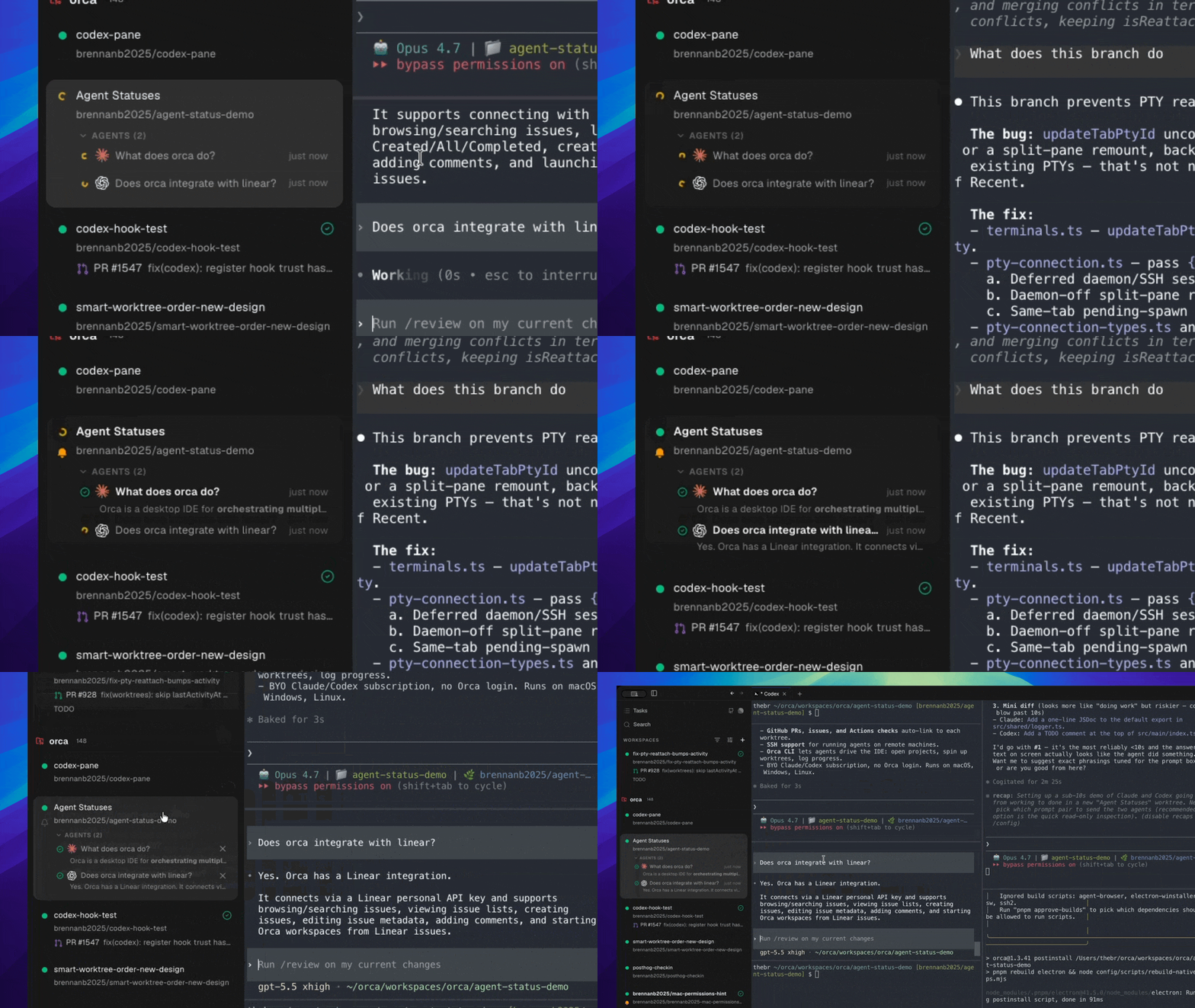
State dots
Every tab shows a small dot indicating the agent's state:
- Green pulsing — the agent is actively working (TUI in a non-idle state).
- Yellow — the agent is waiting on input from you.
- Gray — the agent is idle.
- No dot — the terminal is plain shell, not a recognized agent CLI.
State is detected from the terminal's OSC title sequence, which Claude Code, Codex, and several other agents emit.
Agent dashboard
Each worktree card in the sidebar inlines its agent sessions with the same colored status dot — so you can see every agent on every worktree at a glance, without expanding cards. Rows stay bold until you've viewed them, and a sidebar status overlay surfaces the worktrees that need attention first.
The dashboard is on by default; there is no toggle. If you don't see status dots, the agent CLI in that session isn't emitting OSC titles Orca recognizes — start it through the agent combobox rather than typing the binary by hand.
Launch defaults
Orca launches every supported agent with its full-autonomy permission flag pre-applied — Claude with --dangerously-skip-permissions, Codex with --dangerously-bypass-approvals-and-sandbox, Gemini with --yolo, and the equivalent for each other agent in the picker. The intent is that the worktree itself is the sandbox: agents can do their thing without per-tool approval prompts breaking the flow.
If you want different defaults for an agent, open Settings → Agents, expand the agent's row, and edit its launch arguments — Orca remembers the override and applies it on every subsequent launch. A Reset button next to the field puts the shipped flag back if you want to revert.
Restart chip
When an agent exits (clean or crash), the tab shows a Restart chip. One click rehydrates the same agent with the same working directory. Codex's restart chip also preserves the current account (see Hot-swap Codex accounts).
Session lifecycle
- Launch — pick an agent from the combobox; Orca spawns the CLI.
- Work — OSC titles update state; terminal output scrolls with search, copy, and Ghostty theming.
- Idle — Orca detects the working→idle transition and fires an agent-finished notification.
- Exit — the process ends; the Restart chip appears.