
Annotate AI Diff
Annotate AI Diff is Orca's inline review loop for agent-generated code. You leave comments on any line of any AI-generated hunk, then send them back to the agent as a single batch for revision — no copying line numbers, no context-switching.
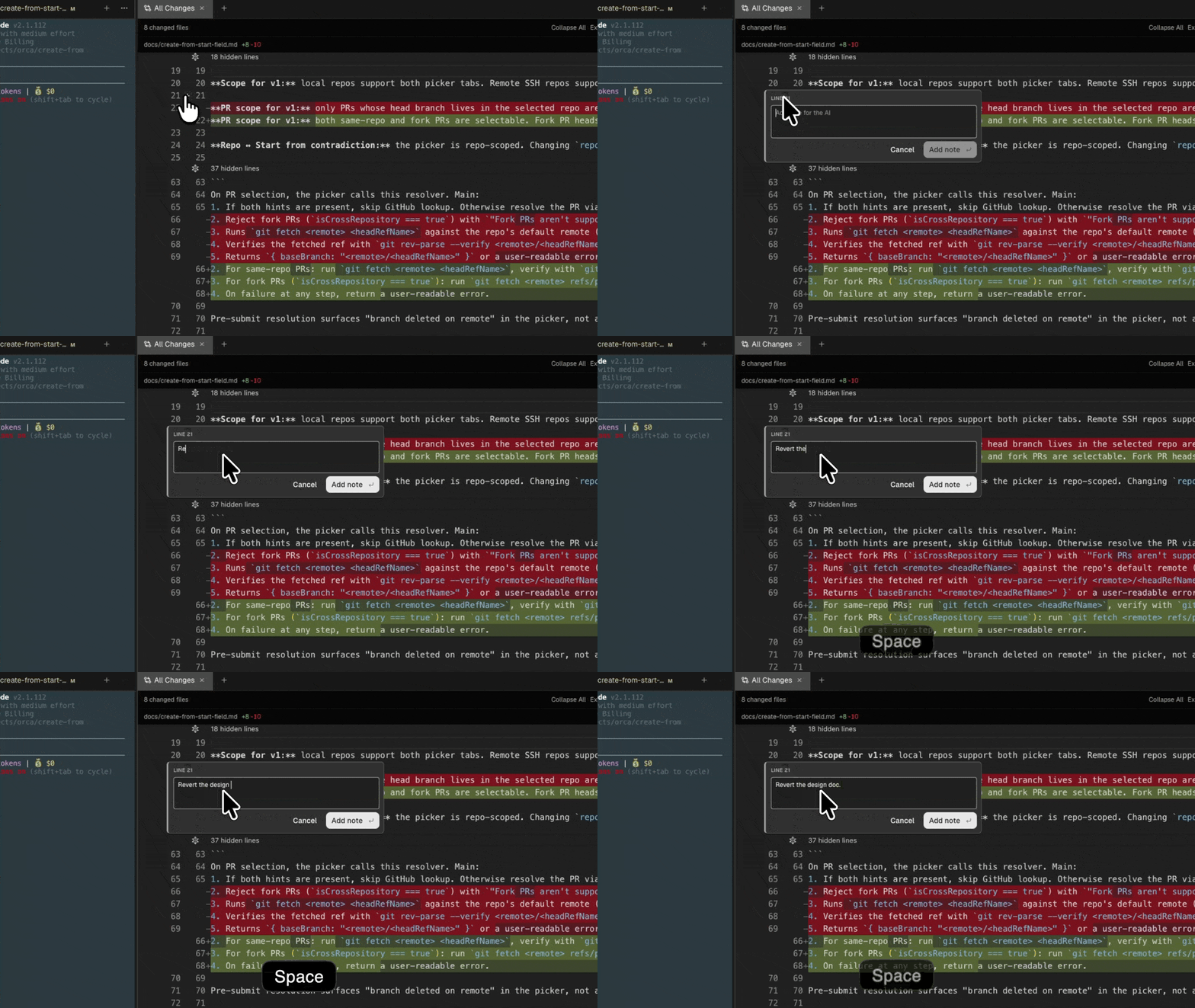
Leave a comment
- Hover any line in the diff. A + appears in the gutter.
- Click it (or press
cwith the cursor on the line). - Type your feedback — markdown supported.
- Press
Cmd-Enterto save,Escto cancel.
Comments pin to the exact line; Orca tracks them across edits so they follow the line if the diff shifts.
Send the batch
When your review is done, click Send to agent at the top of the diff. Orca composes a single prompt with all your comments, line-anchored, then opens a Send notes to menu for the worktree's available agents. Pick the agent that should revise the change, or start a new agent from the same menu.
Why batch?
Sending comments one at a time causes the agent to swing back and forth. Batching keeps the feedback coherent: one round of thinking, one revision pass, and a much higher hit rate.
Reply, resolve, re-review
- Comments stay pinned after the agent revises — use them to verify the fix.
- Click Resolve to collapse a thread.
- Unresolved comments are part of the next batch if you hit Send again.